Agent Referral Program
A TRUE WIN/WIN SITUATION
Join our community to access the referral program. Opt-in to receive referral program updates, new opportunities, and exclusive agent benefits.
The Recipient Agent Gets a $50 discount on their first order
AND
The Referring Agent Gets a $50 discount every time their referral code is used!
* Recipient Agent must be a new agent to redeem this offer.
Opt-In to Access Referral Program
Enter your email to check if you're already subscribed, or subscribe now to unlock this content.
How to use the Agent Referral Program
When you login to your portal there is a "Referral" link in the top menu bar, as highlighted in yellow in the screenshot below.

When you click on that link a pop up will appear:
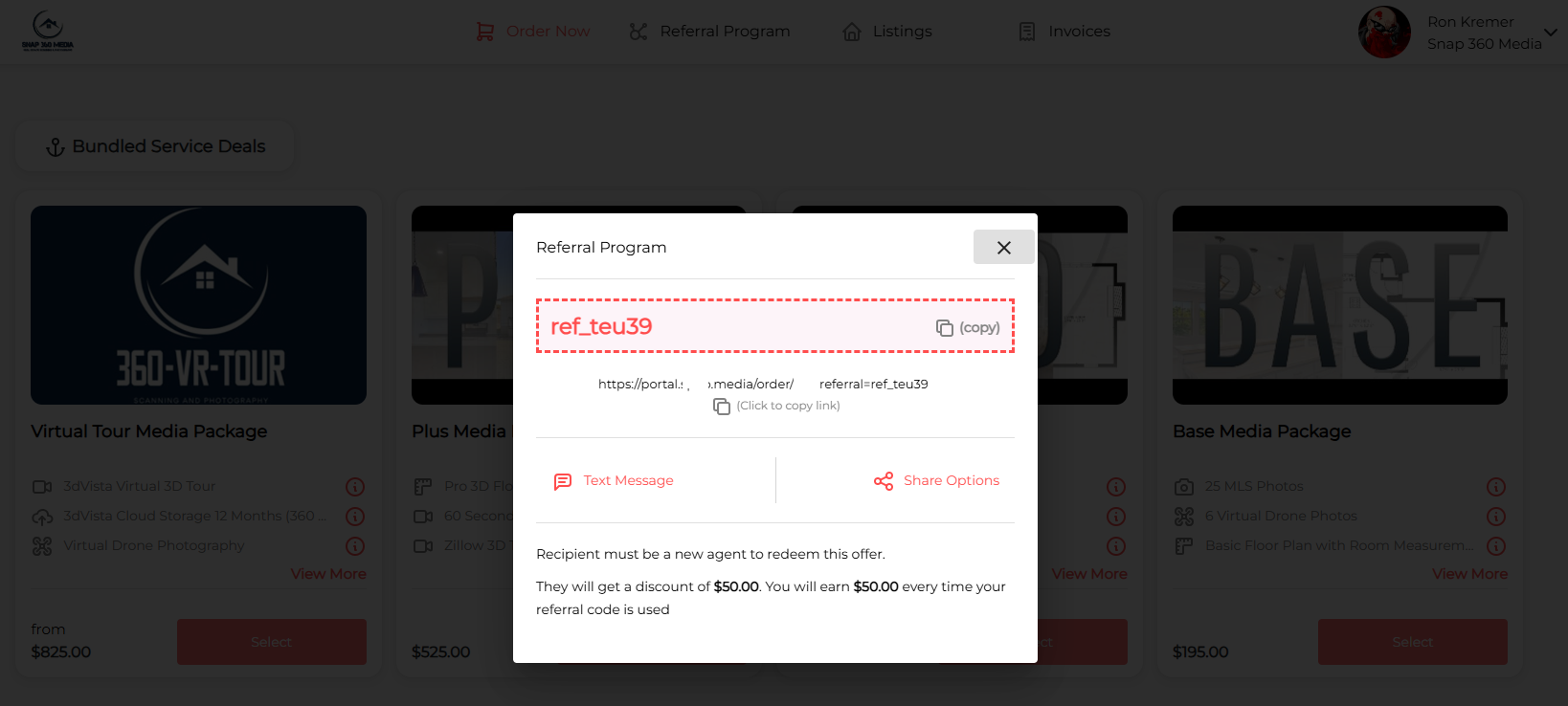
You have several ways to share your referral link or code:
- Tap the "Text Message" button - Snap360Media will automatically create a text message pasting in the referral code and instructions. You can simply just enter in the number of the NEW agent to send the message.
- Example of message (note your company name and the referral amount you have set will appear)
- Get a $50 discount on your first order with Snap360Media through (Referral Link Goes Here)
- Copy the Referral Code - NEW agents will use this code upon checkout to apply the referral amount
- Copy the Referral Link - the referral link will take the NEW agent to your order page and automatically apply the referral code
- Share Options - there are other popular forms of communication your agent can use to share the referral code/link
That's it!
Once the new agent places and pays for the order you will receive an email notification with the credit!
Join Our Agent Community
Opt-in to receive referral program updates, exclusive agent resources, and stay connected with our community of real estate professionals.
Opt-In to Marketing Emails